Automations → Every Thursday: project status → an email to the client, without writing it
Every Thursday: project status → an email to the client, without writing it
One status line in a sheet becomes a tidy weekly email to the client. The consultant updates a word, the client gets an update. Nobody asks "what's happening".
The problem
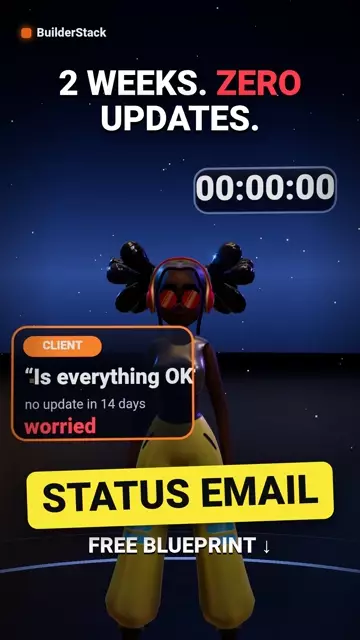
The client hears nothing for two weeks and starts to worry. The consultant works hard and does not write, because writing an update is one more task. Silence reads as a problem even when everything is fine.
What happens when it runs
- Schedule: Thursday 16:00
- Read the projects sheet: every active project with a "this week" status line and a client email
- Per project: a formatted email with the current phase, what was done this week, and the next step
- Mark "sent" with the date, so the same status is never sent twice
The tools inside
- Make — the automation engine · Sign up (one month of Core free) →affiliate link
- Google Sheets — log and lists
- Gmail — email
Before you start
Three things to have ready before importing, or Make will ask and you will have to leave halfway:
- The projects spreadsheet id
- Columns: project, client, email, phase, this week, next step, sent
- The email template
Sheet templates
The file maps columns by position. Start from exactly these headers, in this order — a column in the wrong place writes a phone number into the email column.
- Projects sheet ·
project | client | email | phase | this_week | next_step | sent_weekDownload ↓
How to import (2 minutes)
- In Make: Scenarios → Create a new scenario
- At the bottom, the three dots (⋯) → Import Blueprint → choose the file you downloaded
- Click every module with an exclamation mark: choose your connection (Google, Telegram) — Make creates one in a click if you have none
- Replace every value in double curly braces ({{…}}) with your own from the list above
- Run once with a test row in the sheet. Only when it passes — Schedule and ON
The video
Watch on YouTube → · Subscribe to BuilderStack · Telegram channel
What does not work in it
- If the status line was not updated this week, the client gets last week's status. A filter prevents that, but then the client gets nothing — exactly the silence this was meant to prevent.
- An email that looks automated lowers the value of the update. Short template, first person, no "this message was sent automatically".
Affiliate link. If you sign up through it we earn a commission from Make; your price is the same, and the link gives you one month of Core free.
More automations
All automations → WEEKLY REPORT
Weekly report → Telegram, every Sunday at eight
The numbers the client asks about every week — leads, open tasks, invoices — reach them on their own, in one message, before they ask.
 MONTHLY REPORT
On the 1st: the month's summary → an email to the client, without opening a sheet
How many leads came in, how many closed, how many invoices are open. Three numbers the client wants every month, in one email, on the 1st at eight in the morning.
 UNSUBSCRIBE BOT
"Remove me" email → marked → confirmation, within a minute
Whoever asks to stop receiving mail is marked in the list and gets a confirmation immediately. Not in two days when someone is free. Israel's spam law and the GDPR require exactly this.