Automations → A meeting tomorrow → a reminder 24 hours ahead, with a "can't make it" link
A meeting tomorrow → a reminder 24 hours ahead, with a "can't make it" link
Every morning, each of tomorrow's meetings in the sheet gets a reminder email with the time and a "can't make it" link. Whoever cannot come says so in advance, instead of not showing up.
The problem
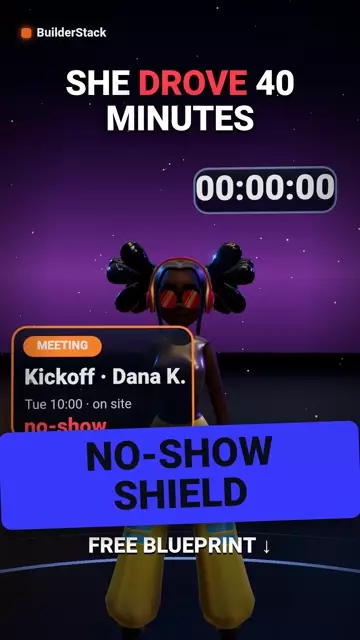
A client who misses a meeting does not mean harm — they forgot, or something changed and telling you felt awkward. The result: an hour burned, sometimes two with the drive.
What happens when it runs
- Schedule: every day 09:00
- Read the meetings sheet: status "booked", date tomorrow, reminder not yet sent
- An email to the client: tomorrow at X, and a "can't make it" link that opens a ready email to you
- Mark the reminder in the sheet so it never goes out twice
The tools inside
- Make — the automation engine · Sign up (one month of Core free) →affiliate link
- Google Sheets — log and lists
- Gmail — email
Before you start
Three things to have ready before importing, or Make will ask and you will have to leave halfway:
- The meetings spreadsheet id
- Your email address (for the "can't make it" link)
- The email wording
Sheet templates
The file maps columns by position. Start from exactly these headers, in this order — a column in the wrong place writes a phone number into the email column.
- Meetings sheet ·
client | email | date | time | status | reminder_sentDownload ↓
How to import (2 minutes)
- In Make: Scenarios → Create a new scenario
- At the bottom, the three dots (⋯) → Import Blueprint → choose the file you downloaded
- Click every module with an exclamation mark: choose your connection (Google, Telegram) — Make creates one in a click if you have none
- Replace every value in double curly braces ({{…}}) with your own from the list above
- Run once with a test row in the sheet. Only when it passes — Schedule and ON
The video
Watch on YouTube → · Subscribe to BuilderStack · Telegram channel
What does not work in it
- The "can't make it" link opens an email to you — it does not change the sheet by itself. The status updates when you read that email, or with a second automation that spots the subject.
- A meeting booked today for tomorrow is only caught if it was logged before 09:00. Last-minute bookings get no reminder.
- The log is a sheet, not Google Calendar. If your meetings live in Google Calendar, reading them needs a different module.
Affiliate link. If you sign up through it we earn a commission from Make; your price is the same, and the link gives you one month of Core free.
More automations
All automations → AUTO WELCOME
New client → welcome email → onboarding checklist → alert
The moment a client signs, three things happen on their own: they get an email that says what comes next, an onboarding checklist opens, and the team is alerted.
 QUOTE FOLLOW-UP
Quote unanswered for 3 days → one follow-up, automatic
Every quote sent and unanswered within three days gets one short follow-up email, and the consultant gets an alert. Nothing to remember, nobody to chase.
 REVIEW ASK
Project closed → 7 days → a Google review request
A week after a project is marked "done", the client gets a personal email with a direct link to write a review. Once, at the right moment.